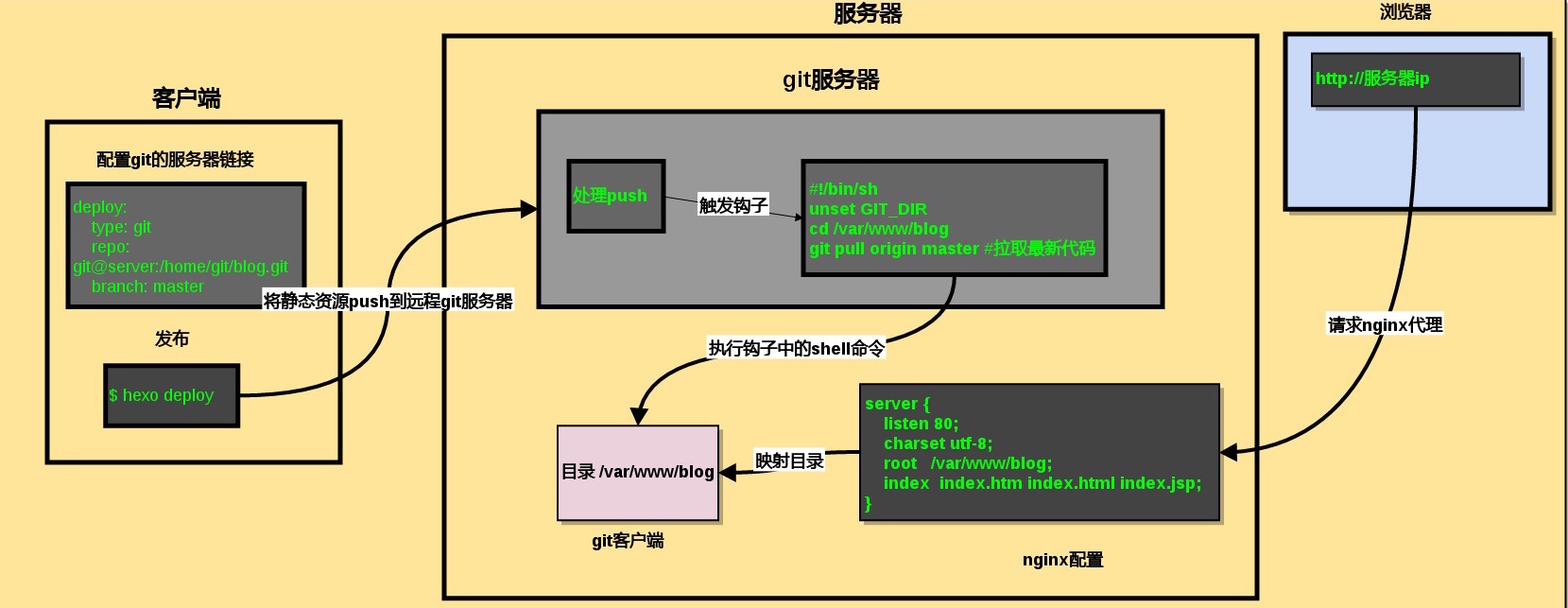
Hexo+GitHub Pages搭建属于自己的blog

Hexo是一个快速,简单,功能强大的开源博客框架-》官网
GitHub Pages 是一个不受限的网站空间。
两者相得益彰。给那些喜欢自己折腾的人提供一些借鉴。
搭建过程
环境介绍
博主使用系统:Deepin Linux 15.3桌面版
安装 node与npm
安装Hexo
1 | npm install hexo-cli -g |
初始化blog
1 | hexo init blog |
至此,本地blog已经创建完成,是不是很简单,简单到没朋友
选择主题
可以在hexo官网查看自己喜欢的主题
通过git clone [url] themes/xxx 将主题克隆到本地,
修改 _config.yml 中的theme:xxx
常用命令
1 | #创建一个新的文章 |
更多命令移步官方文档
搭建github pages
本地blog已经搭建完成,现在可以发布到github pages上
注册github账户
到github官网注册一个github账户
配置登录免密码
移步 Post not found: Git-SSH-HTTPS-verify-configuration
创建github远程仓库
在github上创建一个仓库 xxx.github.io xxx为自己的github用户名
安装插件
1 | $ npm install hexo-deployer-git --save |
配置Hexo
修改 _comfig.yml,xxx为你的用户名
1 | deploy: |
推送服务器
1 | $ hexo deploy |
若出现
ERROR Deployer not found: git报错,请执行上面安装插件步骤
测试
打开 xxx.github.io ,就能看到你的blog了